Stamp card
The most intuitive for walk-in businesses: cafés, snack bars, bakeries, hairdressers.
From creating your card to seeing your customers come back: a simple, fast and practical journey for your business.
A loyalty card in Apple Wallet or Google Wallet, with no app for your customers. Everything about the Wallet: the Apple & Google Wallet guide.
From your account, you pick the format that suits you and dress up the card. The goal: a tool that is clear for the customer and ready to use at the counter.
The most intuitive for walk-in businesses: cafés, snack bars, bakeries, hairdressers.
Ideal when basket sizes vary: points follow the amount spent.
Several gifts to choose from (a coffee, a dessert, a set menu…) to bring customers back more often.
You then personalise the card: colours, logo, photo, stamp icon, reward and welcome gift.
 Café LumièreCoffee & roastery
 Café LumièreCoffee & roastery
As soon as the card is ready, you have the materials to promote it: at the counter, in the window or through a link shared on your socials.
A clear display with a QR code, ready to place at the till or in the window (A4 or A5).
Instagram, WhatsApp, email or website: the card spreads everywhere.
The customer scans, enters their first name and adds their card, without downloading anything.
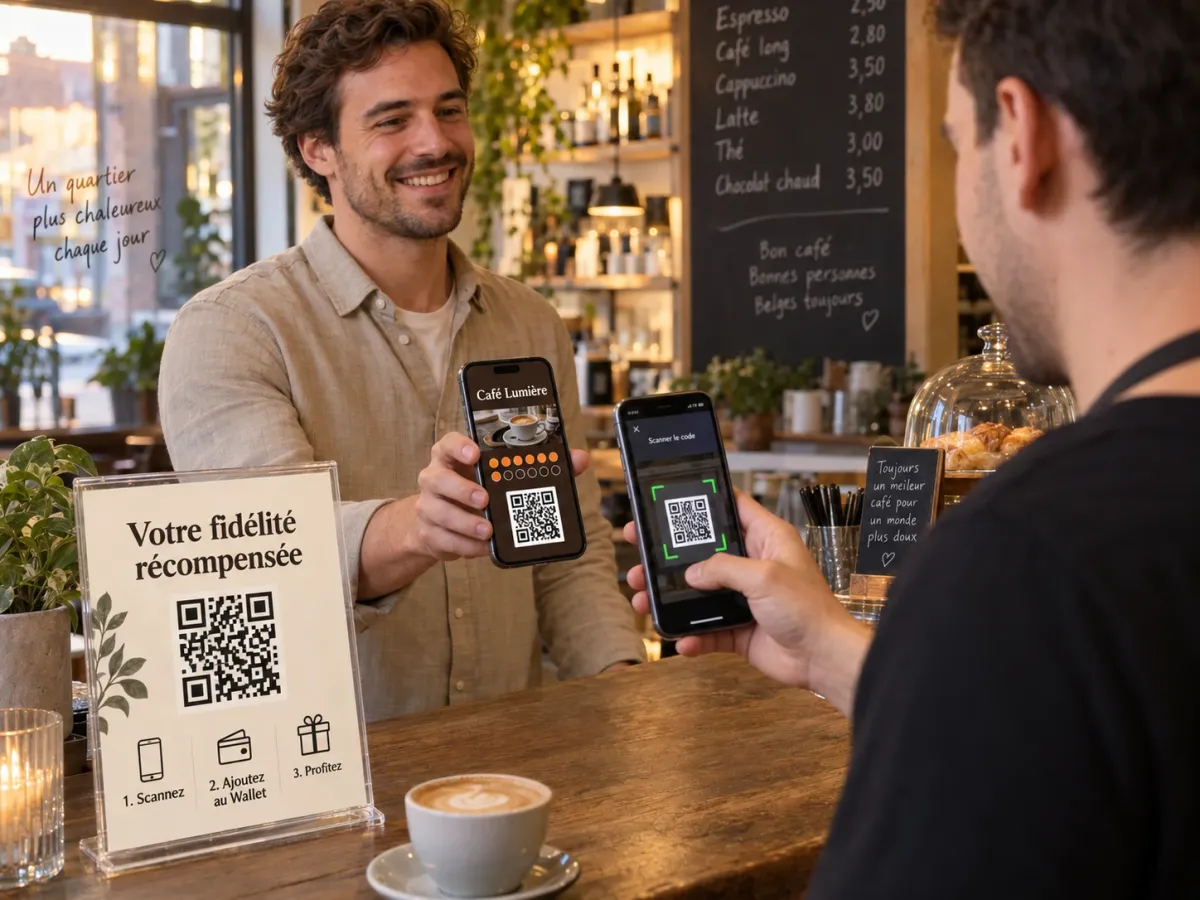
At each visit, you scan the card with your phone. The customer's balance updates, the reward appears and you finally track your visits.
A visit or a gift validated in seconds, from the till's phone.
As soon as the goal is reached, the reward appears on the customer's card.
Re-engage, inform or thank your customers directly on their card.
Customers, visits, rewards and regulars brought together in your dashboard.
to add the card: the customer takes it right away, at the counter.
to download: the card goes straight into Apple Wallet or Google Wallet.
the card never gets lost and reminds them of your business every time they open the Wallet.
A demo tailored to your business, in person or over the phone.
Taha shows you the card, the scanner and the messages, with examples for your business.
If you want to carry on, create your account and try your card with your first customers, no credit card needed.
Pick your subscription if the service suits you. No automatic payment on the free plan.